

It’s Time to Upgrade Your Traditional Fax: Cloud Fax for Miami Businesses (Updated 2026)
Copper is going dark. Here is how cloud fax keeps your documents moving, your costs down, and your compliance intact.
Quick Answer
You should upgrade your traditional fax because the analog phone lines it runs on are being switched off. The FCC removed the requirement for carriers to maintain copper networks back in 2019, and carriers have been retiring those lines ever since. Cloud fax moves the same faxing you already do onto the internet, keeps your existing fax number, and usually costs a fraction of what analog lines cost today.
Your Fax Machine Is Fine. The Line Behind It Is Not.
Here is the strange part about the copper sunset. Nothing dramatic happens. There is no press conference, no countdown clock, no letter from the FCC. Your fax machine keeps sitting in the corner doing its job. Then one day a bill arrives and the analog line costs four times what it used to. Or a fax to a hospital fails and nobody knows why.
The plain old telephone service network, usually shortened to POTS, is the copper infrastructure your fax machine has quietly depended on for decades. And it is being dismantled. Not all at once, and not on a schedule anyone published. Carrier by carrier, exchange by exchange, quietly.
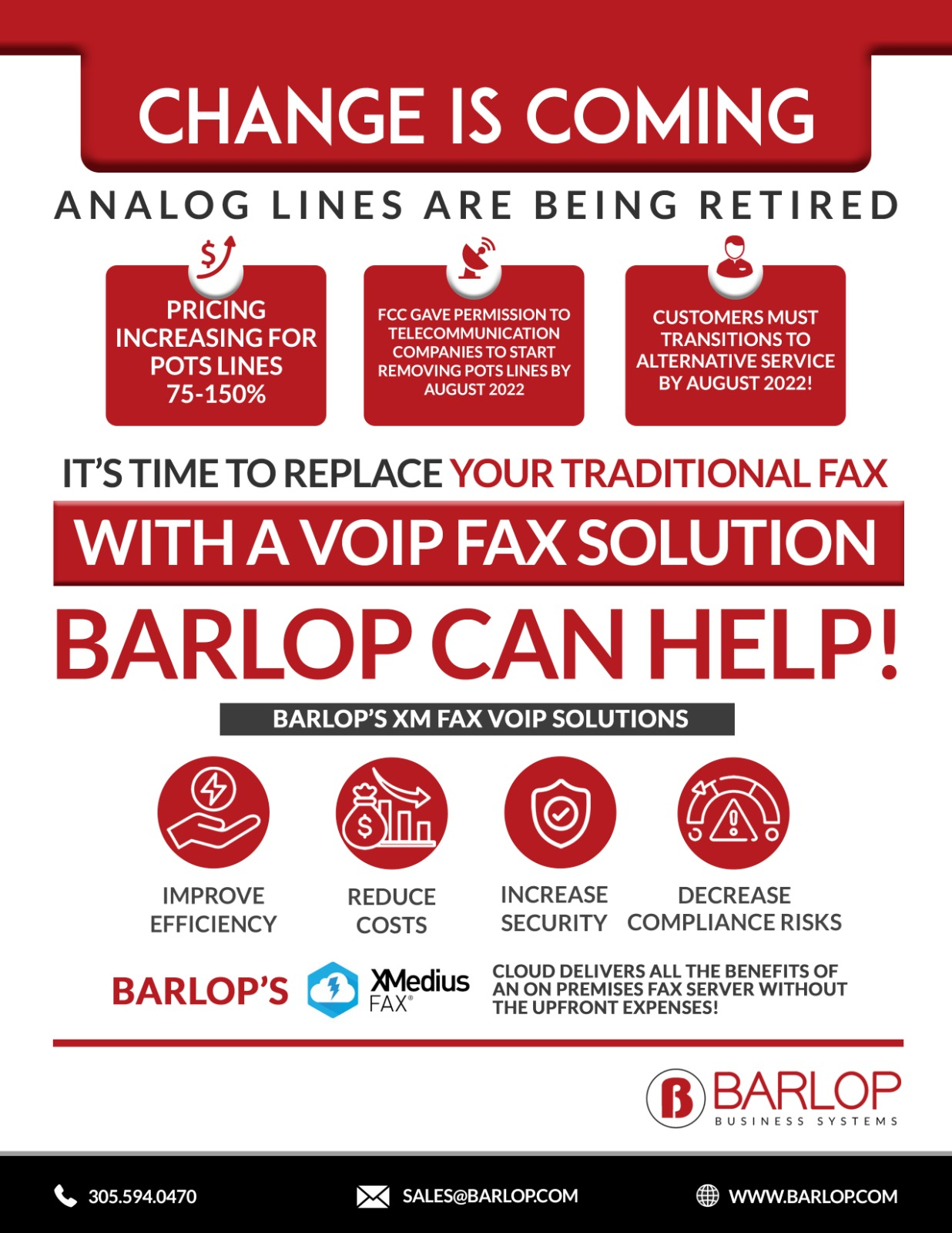
Back in 2019 the FCC issued Order 19-72, which lifted the obligation for carriers to keep maintaining copper lines. That was the starting gun. Since then the economics have done the rest. Copper is expensive to maintain, replacement parts are scarce, and the technicians who know how to fix it are retiring faster than anyone is replacing them.
So carriers took the obvious route. They stopped fixing copper and started pricing it out of existence.
Reported monthly cost per analog POTS line in 2026, up from roughly $45 per month historically. Pricing varies enormously by carrier and location, so check your own telecom bill rather than assuming. Source: industry reporting from MetTel and RCN Technologies, 2026.
AT&T has been issuing copper discontinuation notices, with full discontinuation of copper POTS services reported to begin in June 2026. Verizon has filed retirement notices across multiple states. The industry goal, broadly stated, is to retire the public switched telephone network entirely by 2030.
We should be honest about the uncertainty here. Timelines shift. Some exchanges get extensions. Your specific line in Doral might survive another two years, or you might get a 90 day notice next month. That unpredictability is exactly the problem. You cannot plan a compliance workflow around a deadline nobody will tell you.
What Cloud Fax Is, In Plain English
Cloud fax does the same job as your fax machine. It sends a document to a fax number and receives documents from other fax numbers. The difference is the road it travels. Instead of an analog copper line, the fax rides over your internet connection to a provider, who handles the transmission on the other end.
From the user's side, very little changes. Faxes arrive as email attachments or in a web inbox. You send by emailing an address, uploading a file, or pressing send on the same multifunction printer you already own. Your fax number stays the same because numbers port over.
What you keep
- Your existing fax number, ported over with no change for the people who fax you
- Confirmation pages and transmission records, which stay legally valid
- Your multifunction printer, if you want it, connected through a cloud connector or an analog adapter
- The same workflow your staff already knows
What you drop
- The analog line and its escalating monthly bill
- Fax boards, modems, and the fax server nobody wants to patch
- Technician visits when a line goes noisy
- Paper sitting in an output tray where anyone walking past can read it
That last one matters more than people expect. A fax containing patient records printing onto a shared tray in an open office is a real privacy exposure. Digital delivery routes it to one inbox instead.
Why Moving Your Fax to VoIP Usually Backfires
This is the trap we see most often in South Florida. A business gets the copper retirement notice, calls their phone provider, and moves everything to VoIP. Voice works great. Then the faxes start failing intermittently and nobody can figure out why.
Here is the reason. VoIP chops audio into packets and reassembles them. Human ears tolerate a dropped packet fine; you might hear a tiny blip and your brain fills the gap. Fax protocols do not tolerate it at all. A fax transmission is a precise handshake of tones, and a single lost packet can kill the page or the whole transmission.
The honest version: VoIP fax can be made to work. T.38 fax relay exists specifically for this, and with a clean network and a properly configured gateway, it is workable. But it is fragile, and it fails in ways that are hard to diagnose. If your faxes carry protected health information or signed contracts, fragile is not a feature you want.
Cloud fax sidesteps the problem. The provider handles the analog handshake on their end, over infrastructure built for it. Your side is just a file transfer. No tones, no timing, no packet loss to worry about.
What Staying on Analog Actually Costs
Let us do the math on a small medical practice in Miami with three fax lines. This is illustrative, not a quote, and your numbers will differ. But the shape of it holds.
| Cost Item | Analog Fax (POTS) | Cloud Fax |
|---|---|---|
| Line rental, per number | $100 to $150+ per month and climbing | Typically $10 to $50 per month depending on volume |
| Hardware | Fax machine, fax board, or fax server | None required; existing MFP optional |
| Maintenance | Technician visits, line repairs | Included by the provider |
| Consumables | Toner, paper, drum wear | Only if you choose to print |
| Downtime risk | Line faults, busy signals, noise | Depends on your internet uptime |
| Remote access | Office only | Anywhere with a browser |
| Audit trail | Paper confirmation pages | Searchable digital logs |
| Scales to more volume | Add a line, add a bill | Adjust the plan |
Three analog lines at $125 each runs $375 per month, or $4,500 a year, before a single technician visit. And that figure is not stable; it has been climbing. The equivalent cloud fax plan for a practice that volume often lands well under half of it, with no hardware line item at all.
But the sharper cost is the one that does not appear on any invoice. It is the afternoon your fax line dies and a referral does not arrive. Or the week your fax server sits unpatched because the person who set it up left in 2019.
Share of healthcare organizations reported to still use fax in some form. Fax has not gone away in regulated industries; it has just changed what it runs on. Source: fax industry usage reporting, 2026. Figures like this vary by survey methodology, so treat it as directional.
HIPAA, SOX, FERPA: Does Cloud Fax Hold Up?
Short answer: yes, if you pick the right provider. Longer answer needs a distinction people often miss.
Fax itself is not automatically HIPAA compliant, and it never was. The old analog fax sitting on a shared desk was arguably worse than a properly configured cloud service. Compliance is about controls: who can access the document, whether it is encrypted, whether there is an audit trail, and whether your vendor will sign a Business Associate Agreement.
What to require from any cloud fax vendor
- A signed Business Associate Agreement if you handle protected health information
- Encryption in transit and at rest, typically 256 bit AES
- Per user access controls, not one shared inbox everyone logs into
- Retention and audit logging you can actually export during an audit
- Documented data residency, particularly for regulated workloads
A free consumer fax app fails most of these. So do the free web fax tools employees sometimes find on their own, which is its own quiet risk worth checking for. The HHS Security Rule guidance lays out the safeguards; the NIST Cybersecurity Framework is a useful structure for mapping the whole document workflow, not just the fax leg of it.
Barlop Business Systems has walked Miami medical practices, law firms, and school districts through this exact review. It is not complicated. But it does need doing before you sign, not after an auditor asks.
Who Still Faxes in 2026, and Why They Are Not Wrong
People love to mock fax. It is an easy joke. But the joke misses why fax survived while so much else did not.
Fax is point to point. Nothing sits in a cloud inbox waiting to be phished. Every transmission produces a confirmation record. Regulators, courts, and insurers accept it, backed by decades of precedent. And critically, fax works with the other party's system without asking them to adopt anything new. That last one is why healthcare cannot quit it. You cannot force every specialist, lab, and insurer to join your portal.
So the useful question is not whether fax deserves to die. Plenty of technologies deserve to die and refuse to. The question is what your fax should run on now, given the road underneath it is being torn up.
The industries still leaning on it
- Healthcare: referrals, prior authorizations, lab results, records requests between practices on incompatible systems
- Legal: filings and signed documents where a confirmation page is evidence
- Financial services: loan documents and authorizations with retention requirements
- Government and education: forms and records where the process is written into policy
- Real estate and title: closing documents moving between parties who each use different software
Roughly 40 percent of United States health system and hospital executives report their organization has already moved to a cloud based fax solution, according to Sage Growth Partners research. So the migration is well underway. The organizations still on copper are not holding out on principle. Most of them simply have not gotten to it yet.
Projected growth of the global cloud fax market from 2025 to 2034, at roughly 9.5 percent compound annual growth. Market sizing estimates differ substantially between research firms, so read the direction rather than the decimal. Source: cloud fax market research, 2026.
How the Switch Actually Works
Businesses put this off because they imagine a rip and replace project. It is usually not that. Here is the realistic sequence.
Step one: find your lines
You would be surprised how many analog lines a business is paying for. Fax, alarm panels, elevator phones, point of sale backup, an old modem in a closet. Pull your telecom bill and audit it. Phantom lines nobody uses are extremely common, and finding them often pays for the migration by itself.
Step two: sort by risk
Not every analog line is equal. An elevator emergency phone has life safety requirements and a different replacement path than a fax line. Handle fax first; it is the easiest win.
Step three: port the number
Your fax number moves to the cloud provider. Porting typically takes a few business days. Nobody who faxes you notices anything.
Step four: connect the endpoints
Decide whether staff send from email, a browser, or the existing multifunction printer. Most offices do a mix. Your Ricoh or Kyocera MFP can often stay in the workflow through a connector, which keeps the muscle memory intact for people who have been walking to that machine for fifteen years.
Step five: cancel the copper
Run parallel for a couple of weeks. Confirm nothing is arriving on the old line. Then cancel, and watch the bill drop.
The whole sequence for a small office usually fits inside a month, and most of that month is waiting rather than working. The part businesses underestimate is step one. We have walked into Miami offices convinced they had two fax lines and found seven analog lines on the bill, three of which connected to nothing anyone could identify.
A word on staff training
The technical migration is the easy half. The other half is human. Someone in your office has been walking to that fax machine every morning for a decade, and the workflow lives in their hands, not in a manual. Change it abruptly and you get workarounds, which is how sensitive documents end up going out through a personal free fax app on somebody's phone.
So we tend to recommend keeping the MFP in the loop at first, even when a browser would be simpler. Let people fax the way they always have while the copper quietly disappears underneath. Move them to email or web faxing later, once the pressure is off. Nobody needs two disruptions in the same month.
One caveat worth stating plainly: cloud fax depends on your internet connection. If your office loses connectivity, faxing stops. Analog lines had their own power and kept working through some outages. That is a real trade, and in hurricane season in South Florida it deserves a conversation about backup connectivity rather than a shrug.
How Barlop Business Systems Helps
We are a family run company in Doral, woman and minority owned, and we have been keeping South Florida offices running since 1983. We were selling fax machines when fax machines were new. So we have a fairly clear view of what is worth keeping and what is not.
Line Audit
We pull your telecom bill apart and find the analog lines you forgot you were paying for. Often the first surprise of the project.
Cloud Fax Setup
Digital fax deployment with number porting, user onboarding, and a migration plan sized to your actual volume.
MFP Integration
Your existing multifunction printer stays in the workflow. Staff keep the machine and the habit; the copper goes away.
Compliance Review
BAA verification, encryption, access controls, and retention mapped against HIPAA, SOX, and FERPA requirements.
Managed IT
The fax is one piece. Our managed IT team handles the network, security, and backup underneath it.
Local Support
Miami based technicians who show up. Not a ticket queue in another time zone, and not a chatbot.
Need the hardware side too? Our equipment catalog covers the multifunction printers and scanners feeding these workflows, and our copier and printer lease options spread the cost if a refresh makes sense at the same time. Not sure where your network stands? Start with a free network assessment and we will tell you honestly. You can also read more about our team and history in South Florida.
Barlop has been a member of the office technology industry community for over four decades, and we keep an eye on standards work through bodies like the Business Technology Association.
Frequently Asked Questions
Are analog fax lines really going away?
Yes, though slowly and unevenly. The FCC removed the requirement for carriers to maintain copper infrastructure in 2019 through Order 19-72, and carriers have been retiring lines since. AT&T has issued discontinuation notices with copper POTS discontinuation reported to begin in June 2026. Timelines vary by carrier and location, so contact your carrier for your specific exchange.
Can I keep my existing fax number?
Yes. Number porting is standard with any credible cloud fax provider and usually takes three to five business days. The people who fax you will not notice any change. Confirm porting is included and free before signing.
Is cloud fax HIPAA compliant?
It can be, with the right provider. You need a signed Business Associate Agreement, encryption in transit and at rest, per user access controls, and exportable audit logs. Free consumer fax apps generally do not meet these requirements. The service alone does not make you compliant; your configuration and policies matter too.
Can I just move my fax to VoIP instead?
You can try, and it sometimes works. But fax protocols are intolerant of packet loss in a way voice is not, so VoIP faxing fails intermittently and is difficult to diagnose. T.38 fax relay helps on a clean network with a properly configured gateway. For documents carrying compliance weight, cloud fax is the more dependable path.
Do I have to throw away my fax machine or MFP?
No. Most cloud fax platforms connect to existing multifunction printers through a cloud connector or an analog telephone adapter. Staff keep pressing the same buttons on the same machine. Only the transmission path underneath changes.
What does cloud fax cost compared to an analog line?
Analog lines in 2026 have been reported anywhere from $100 to well over $1,000 per line per month depending on carrier and location, up from roughly $45 historically. Cloud fax plans commonly run from about $10 to $50 per month per number based on page volume. Your numbers will depend on volume and provider, so get an actual quote rather than trusting a range.
What happens to my faxes during an internet outage?
Incoming faxes queue at the provider and deliver when you reconnect, so nothing is lost. Outgoing faxes wait until you are back online. This is a genuine difference from analog lines, which carried their own power. For South Florida businesses during hurricane season, a backup connection or cellular failover is worth discussing.
Are digital fax confirmation pages legally valid?
Generally yes. Cloud fax providers issue confirmation records with timestamps and transmission status, and these are widely accepted where paper confirmations were. Requirements vary by jurisdiction and industry, and we are not attorneys, so confirm with your own counsel if a specific filing depends on it.
How long does a migration take?
For a small office with a handful of fax numbers, plan on a few weeks end to end. Number porting takes three to five business days. Most of the calendar goes to auditing lines, training staff, and running parallel before you cancel the copper. Larger deployments with fax servers or EHR integration take longer.
Why do we still fax at all in 2026?
Because fax works with the other party's system without asking them to change anything. Healthcare, legal, and finance move documents between organizations running incompatible software, and fax is the common denominator everyone already accepts. Roughly 89 percent of healthcare organizations reportedly still use it. The technology underneath is what needs to change, not the workflow.
Does Barlop handle the whole migration?
Yes. We audit your lines, size the plan, port the numbers, connect your existing equipment, verify the compliance paperwork, and train your staff. Then we stay on for support. Call (786) 833-7781 for sales or (305) 594-0470 for everything else.
What if my analog line has not been retired yet?
Then you have time, which is the best position to be in. Migrating on your own schedule beats migrating on a 90 day notice. And the cost savings usually start immediately, so waiting rarely pays.
Ready to Get Off Copper?
Let our Miami team audit your analog lines and map the switch. No pressure, no jargon, and an honest answer about what you actually need.
EXPLORE MANAGED IT SERVICES(786) 833-7781
Miami's Trusted Office Equipment & Managed IT Partner for Over 40 Years