

From Miami to Fort Lauderdale: Finding the Best Printer Repair in South Florida
AI Overview: Printer Repair South Florida – 2025 Business Guide
A printer breakdown can cost hundreds of dollars per hour in lost productivity, making reliable printer repair services essential. From same-day on-site fixes to comprehensive managed print services, businesses need solutions tailored to their urgency, budget, and equipment type.
[lwptoc]Printer Repair South Florida: Best 2025 Guide
Why Reliable Printer Repair Service is Critical for South Florida Businesses
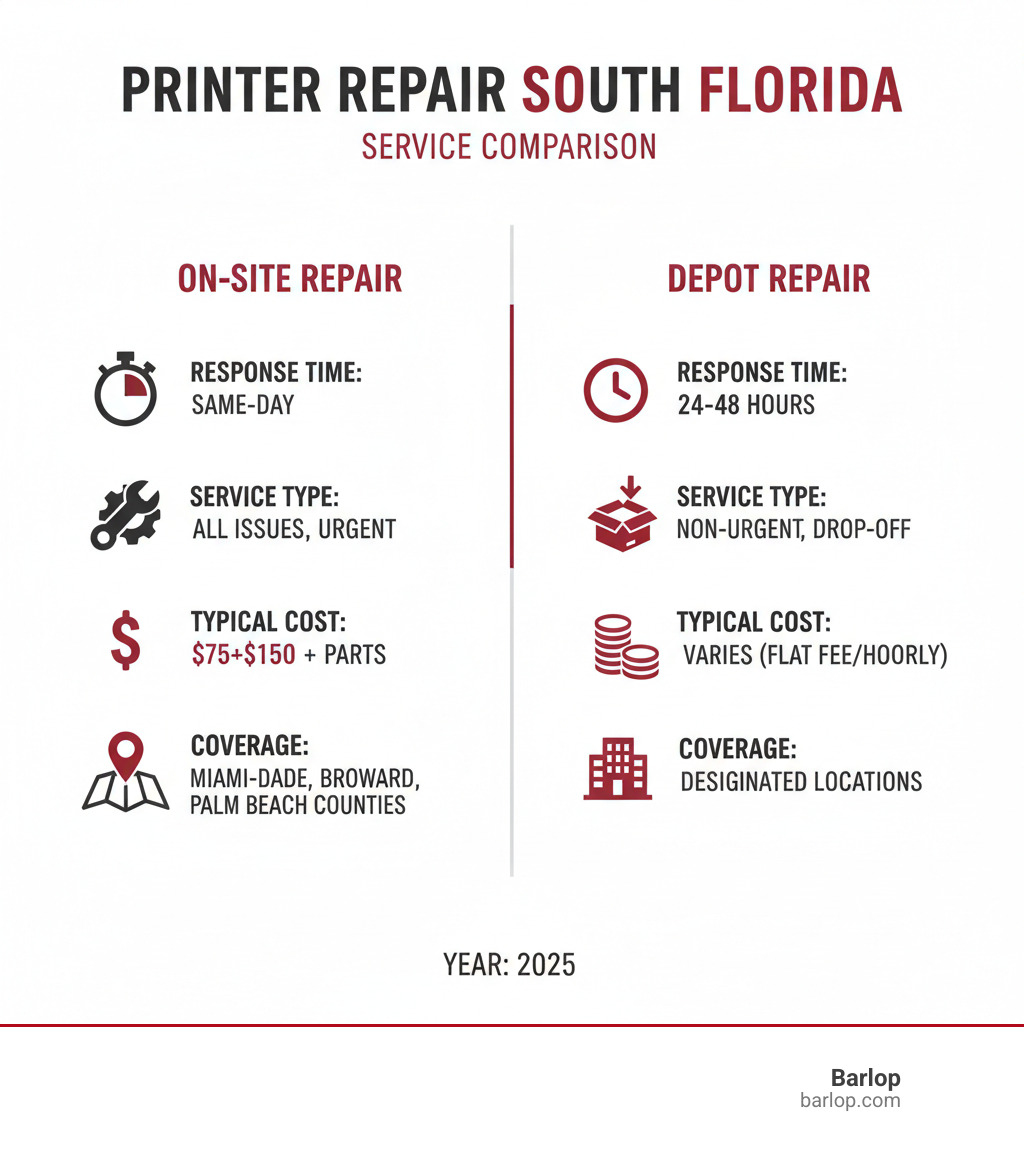
When your office printer fails, printer repair South Florida services become essential to getting your business back on track. From Miami's busy financial district to Fort Lauderdale's growing tech sector, businesses across South Florida rely on printers for daily operations - and unexpected breakdowns can cost hundreds of dollars in lost productivity per hour. Quick Answer: Top Printer Repair Options in South Florida:- On-site repair - Same-day service available from certified technicians (typical cost: $75-$150 plus parts)
- Depot repair - Drop-off service for non-urgent issues (usually 24-48 hour turnaround)
- Managed print services - Proactive monitoring and maintenance plans starting around $0.02-$0.15 per page
- Emergency service - Available for critical business operations with premium rates
- Major brands serviced - HP, Canon, Xerox, Brother, Lexmark, Ricoh, and Kyocera
 Important printer repair South Florida terms:
Common Printer Problems in South Florida's Climate
When you live and work in South Florida, you quickly learn that our beautiful weather comes with a price - especially for your office equipment. The combination of high humidity, salt air, and frequent temperature swings creates a perfect storm for printer problems that businesses across Miami-Dade, Broward, and Palm Beach counties know all too well. If you've ever wondered why your printer seems to jam more often during the summer months or why your prints look streaky after a particularly humid week, you're not imagining things. South Florida's climate genuinely impacts how printers perform, and understanding these challenges is the first step toward finding reliable printer repair South Florida solutions. Paper jams top the list of climate-related printer headaches. While paper jams happen everywhere, they're significantly more frequent in our humid environment. Paper naturally absorbs moisture from the air, causing it to expand slightly and become less rigid. This warped, slightly sticky paper doesn't feed through printer mechanisms as smoothly, leading to those frustrating jams that seem to happen at the worst possible moments. What's worse, forcing jammed paper out incorrectly can damage delicate internal rollers and sensors. Streaky prints and faded toner are another telltale sign of humidity's impact. When moisture levels are high, toner particles don't adhere to paper as consistently, creating those annoying streaks or patches where text appears faded. Inkjet printers face even bigger challenges - their print heads can clog more frequently when humid air affects the ink's consistency and drying properties. Connectivity issues might seem unrelated to weather, but salt air near the coast gradually corrodes metal components in cables, USB ports, and internal circuitry. This corrosion can cause intermittent connection problems or complete communication failures between your computer and printer. Businesses in coastal areas like Fort Lauderdale and Miami Beach are particularly susceptible to this slow but steady deterioration. Error codes often puzzle business owners, but many of these cryptic messages stem from environmental damage. Components like fusers, rollers, and circuit boards age faster in our corrosive climate, triggering error messages that might not appear for years longer in drier, less corrosive environments. The salt-air corrosion factor cannot be overstated for coastal businesses. Salt particles in the air act like tiny agents of destruction, slowly eating away at metal components inside your printer. This leads to electrical shorts, premature component failure, and significantly shortened equipment lifespans.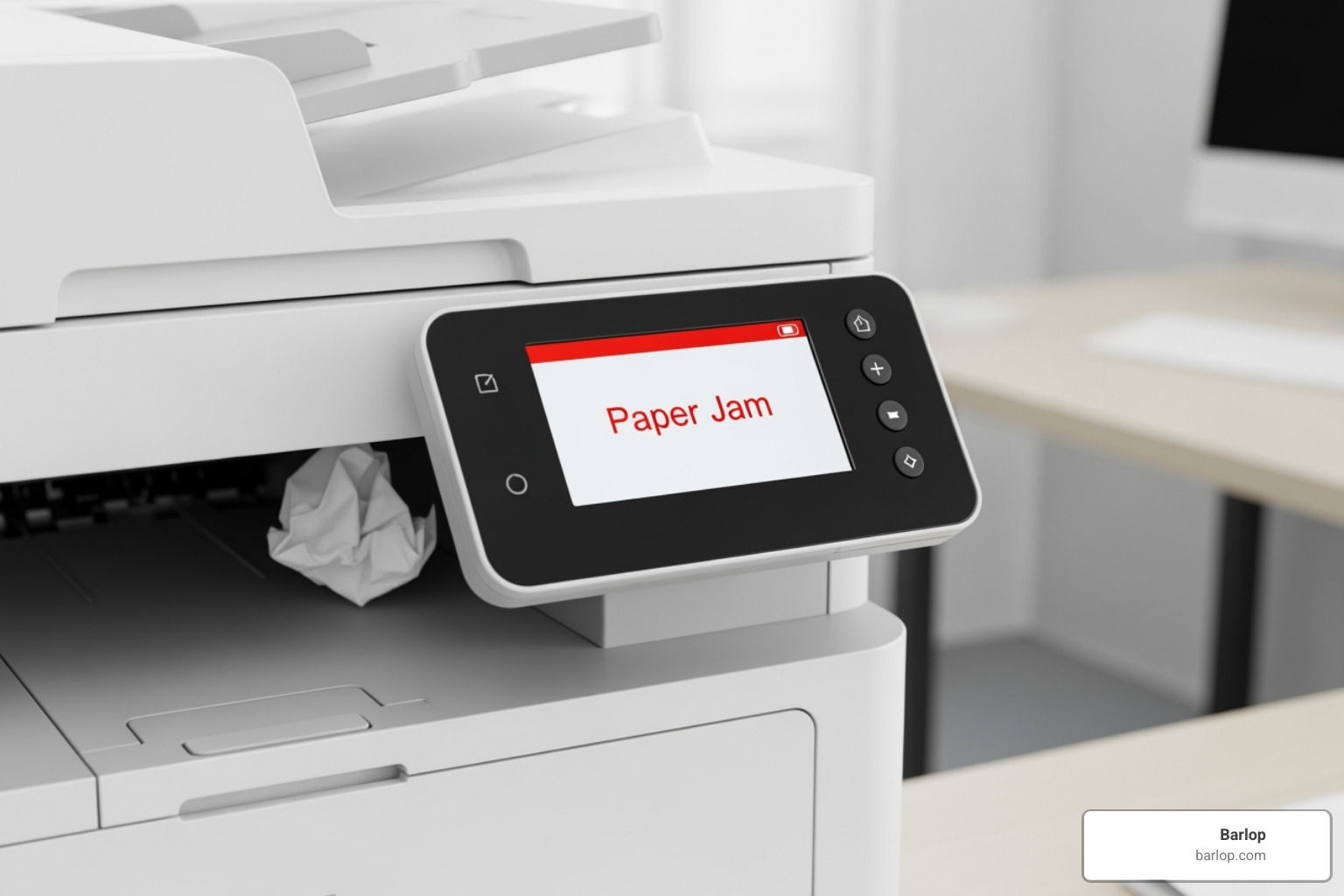
Why Preventative Maintenance is Crucial
Given these climate challenges, preventative maintenance isn't just recommended - it's essential for protecting your investment and avoiding costly emergency repairs. Think of it as sunscreen for your printer; you wouldn't skip sun protection in South Florida, so why skip equipment protection? Regular cleaning becomes even more critical in our environment. Dust, paper particles, and toner residue stick more aggressively in humid conditions, building up faster on rollers, print heads, and internal components. Professional cleaning involves carefully disassembling components rather than simply blowing compressed air around, which can actually push contaminants deeper into sensitive areas. Firmware updates help your printer adapt to changing conditions and fix bugs that might make climate-related problems worse. Manufacturers regularly release updates that improve performance and address known issues, so keeping your firmware current is like getting regular software tune-ups. Humidity control in your office space makes a dramatic difference. While you can't change Miami's weather, maintaining stable indoor humidity levels through proper HVAC operation or dehumidifiers protects both paper and electronic components from moisture damage. Avoiding dust buildup requires both professional attention and simple daily practices. Keeping printers covered when not in use (if practical) and positioning them away from high-traffic, dusty areas helps extend the time between deep cleanings. Extending printer lifespan through preventative care directly impacts your bottom line. By addressing small issues before they escalate and protecting components from environmental wear, you delay expensive replacements and maximize your equipment investment. Here's a practical maintenance checklist that works well in South Florida's climate:- Wipe down printer exteriors weekly to remove salt and dust buildup
- Clean paper trays monthly and check for debris or moisture
- Ensure adequate ventilation around equipment with at least 6 inches of clearance
- Maintain air-conditioned environments to control humidity levels
- Schedule professional cleanings every 6-12 months for high-volume machines
- Check for firmware updates quarterly and install as needed
The Spectrum of Services: From On-Site Fixes to Managed Print Solutions
When your printer breaks down in South Florida, you'll quickly find there's no shortage of repair options available. The key is understanding which service model makes the most sense for your specific situation and budget. Whether you need a quick fix for a single printer or comprehensive management for an entire office fleet, the right approach can save you both time and money. On-site repair is often the gold standard for businesses that can't afford downtime. Instead of unplugging your printer and hauling it across town, a certified technician comes directly to your office with the tools and expertise needed to get you back up and running. Many printer repair South Florida companies offer same-day service, which can be a lifesaver when you're facing a deadline or serving customers who need printed materials. For less urgent situations, depot repair offers a cost-effective alternative. You bring your printer to the service center, where technicians can work on it without the time pressure of an on-site visit. This approach typically costs less since there's no travel time involved, but you'll need to manage without your printer for a day or two. Same-day service has become increasingly important for businesses where printing is mission-critical. Whether you're running a real estate office that needs listing sheets or a medical practice printing patient forms, having a technician respond within hours can make the difference between a minor inconvenience and a major business disruption. Maintenance agreements represent a shift from reactive to proactive printer care. These service contracts typically include regular preventative maintenance, priority response times, and often cover both parts and labor. Think of it like having insurance for your printer - you pay a predictable monthly or annual fee, and when problems arise, you're already covered. Proactive monitoring takes maintenance agreements a step further by using software to keep an eye on your printers 24/7. These systems can detect when toner is running low, identify potential mechanical issues before they cause failures, and even alert technicians to problems you haven't noticed yet. It's like having a health monitor for your printer fleet. Automated supply delivery eliminates the hassle of tracking toner levels and placing orders. When your printer's toner starts running low, new cartridges automatically ship to your office. No more emergency runs to the office supply store or dealing with that dreaded "replace toner" message at the worst possible moment.
Understanding Managed Print Services (MPS)
Managed Print Services (MPS) represents the most comprehensive approach to printer management, and it's gaining popularity among South Florida businesses for good reason. Instead of dealing with printer problems as they pop up, MPS providers take complete responsibility for your entire printing environment. The all-inclusive service model means you hand over the keys to your printing infrastructure to experts who live and breathe this stuff every day. They assess your current setup, optimize your printer fleet, handle all maintenance and repairs, manage supply ordering, and provide ongoing technical support. It's like having a dedicated IT department just for your printers. The cost-per-page model is where MPS really shines financially. Instead of unpredictable repair bills and surprise toner purchases, you pay a fixed rate for every page you print. This rate typically covers everything - toner, parts, labor, and sometimes even the printer hardware itself. For budget planning purposes, this predictability is invaluable. Fleet management involves analyzing how your office actually uses printers and making strategic improvements. Maybe you have too many small desktop printers when one larger networked unit would be more efficient. Or perhaps you need a high-speed color printer in the marketing department but can get by with basic black-and-white units elsewhere. MPS providers optimize your setup for both performance and cost-effectiveness. Business process streamlining extends beyond just keeping printers running. Modern MPS solutions can help digitize document workflows, implement secure printing protocols, and integrate with your existing business software. This might include features like scan-to-email, secure print release, or automated document routing. Document security has become increasingly important as businesses handle more sensitive information. MPS solutions often include user authentication, encrypted print jobs, and audit trails that track who printed what and when. This is particularly valuable for businesses in healthcare, legal, or financial services. The reduced IT burden aspect of MPS can't be overstated. When your internal IT staff doesn't have to troubleshoot printer drivers, order toner, or coordinate repair appointments, they can focus on more strategic technology initiatives that drive your business forward. For South Florida businesses, MPS providers who understand our unique climate challenges can be particularly valuable. They know that salt air and humidity require more frequent maintenance cycles and can proactively address these issues before they cause costly downtime. At Barlop, our MPS solutions are designed specifically with South Florida's environment in mind, helping ensure your printing operations run smoothly year-round.DIY vs. Professional Repair: A Cost-Benefit Analysis
When your printer starts acting up, that familiar question pops up: "Should I try fixing this myself or call in the experts?" It's a dilemma we've all faced, especially when you're staring at a cryptic error message on a Friday afternoon. While the DIY route might seem tempting for your wallet, the reality is more nuanced than it appears. Simple fixes like checking cable connections, restarting both your printer and computer, or clearing obvious paper jams can often be handled without professional help. These basic troubleshooting steps cost nothing but a few minutes of your time and solve many common issues. However, when you're dealing with complex repairs - persistent error codes, internal mechanical problems, or print quality issues that don't resolve after changing cartridges - that's when things get tricky. Professional technicians bring specialized tools and years of experience that can mean the difference between a quick fix and accidentally turning a minor problem into an expensive disaster.| Factor | DIY Repair | Professional Repair |
|---|---|---|
| Cost | Low (parts only, if needed) | Higher (service call, labor, parts) |
| Time | Variable (research, troubleshooting, trial/error) | Faster (experienced technician, quick diagnosis) |
| Risk of Further Damage | High (incorrect tools, lack of knowledge) | Low (trained technicians, proper procedures) |
| Warranty | None (may void manufacturer warranty) | Often includes warranty on parts and labor |
| Success Rate | Variable (depends on issue complexity) | High (expert diagnosis and repair) |